
.jpg)
Give Every Technician a Procedure They Can Actually Follow
A technician opens a link on the phone already in their pocket, and the current revision is there - step by step, in their own language, with the machine animating at each stage.
The same procedure runs on every site. New starters learn from it, your senior engineers stop fielding the same questions, and every completed run leaves a timestamped record behind.
%20(2).png)
Step 01
Turn the Document into Steps
Upload an existing SOP, manual, or PDF. our AI reads the document and builds a structured, ordered procedure. Your team reviews and refines instead of authoring from a blank page.
Step 02
Connect the Steps to the Machine
Attach images, video, and 3D animation to any step, linked to a Digital Twin of the actual equipment. Add decision points so safety checks, fault branches, and exceptions route correctly.
Step 03
Publish to Every Technician
Publish once. Technicians open the procedure from a link or QR code in any browser, in their own language — with the same content available hands-free on supported AR/VR devices.
Everything Your Team Needs to Build and Run Visual Work Instructions
A complete authoring and execution toolset. Available across all supported devices from day one.
-Photoroom.png)
Interactive Flow Editor
Build procedures like a flowchart. Execute them like a checklist. The Interactive Flow Editor is a visual, node-based builder. Nine node types give your team complete control over every step and every branch: Step, Question, Multi-Choice, Warning, Input, Go To, Switch Platform, Object Detection, and Start. Every node supports a header, description, warning pop-ups, media assets, and 3D interactions. Preview the complete flow before publishing.
Version History
Full editing and publishing history per flow. See who changed what, when. Always know which version is live in the field.
Player Attributes
Configure the experience at the flow level: auto-play video, read descriptions aloud, allow notes, allow skipping steps. Toggled per flow.

Animation Builder
Words describe the action. The Animation Builder shows it. Link any step to a 3D animation built directly on your Digital Twin using AI. Three interaction types are available: Static Interactions that highlight a component, Press Continue that confirms an action before the flow advances, and User Defined Interactions built entirely in the Animation Builder. Animations are stored in the project and reusable across all work insrcutions. Edit or create animations with real-time preview, directly from a running unpublished flow.
QR Code, Deep Link, and LMS Publishing
Publish via QR code, deep link, or directly through your LMS. Set role-based visibility. Preview in a browser before deploying to devices. Completion data and performance records feed automatically into your existing LMS and CRM systems.
Language and Localisation
Translate with AI converts a digital work instruction into any language in one click, or translate individual nodes, or adds a single new language without affecting the rest. Upload language-specific videos and images per step so each technician sees the right content in their own language. Every step can also read its description aloud automatically using Text-to-Speech, or use a custom script. Excel import and export available as a fallback.
Input Capture and Analytics
Capture numbers, text, images, or barcodes at any step. Every input is timestamped and stored in the analytics dashboard. All session data is compatible with leading AI and BI systems.
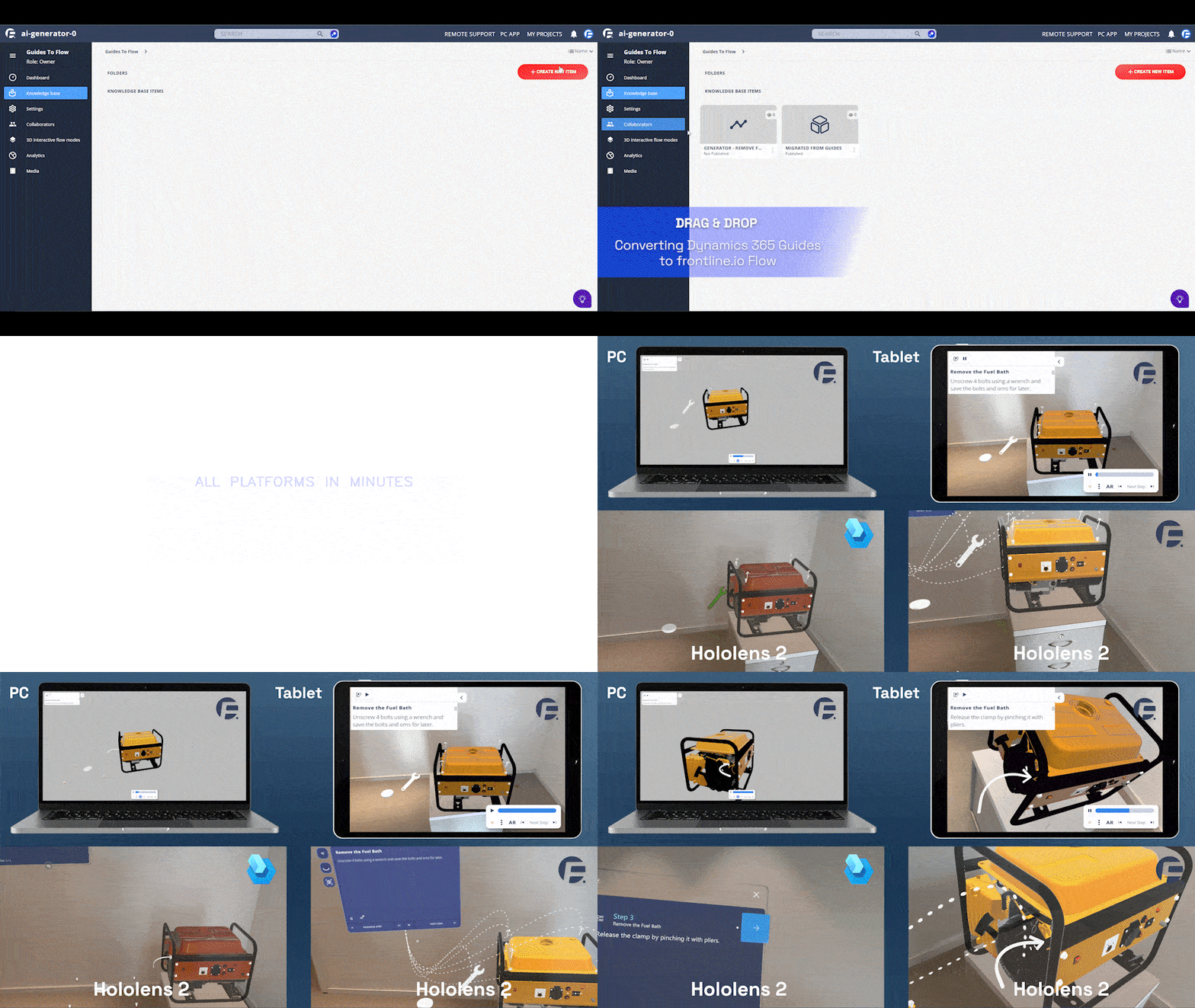
Microsoft Dynamics 365 Guides Migration
Import existing Dynamics 365 Guides content directly into Visual Work Instructions. Step titles, descriptions, media, and flow structure are all preserved. Over 90 percent of Guides tools are available in frontline.io. Available on request.
Deliver Digital Work Instructions to Every Technician - Directly from the Browser
Technicians open published procedures in a compatible browser on the smartphone, tablet, or laptop they already carry. Nothing to install, nothing for IT to package and push. When a task needs hands free, the same procedure runs on supported AR/VR devices without rebuilding the content.
No Credit Card Required

XREAL AURA

HMS SINGRAY G2

HoloLens 2

Real results. Real machines. Real industries
Trusted by industrial leaders worldwide
“The content creation for HP — which was one of the most troublesome areas for scaling XR — has now become 5 times faster than any other solution. Thousands of HP team members and clients are now receiving advanced-level support and training.”

Ayush Jain, Leader, HP xRServices
5X
Faster content deployment vs. any other XR solution
100+
Vendors evaluated by HP before choosing frontline.io
70%
Improvement in remote troubleshooting efficiency