
The complete Frontline ONE experience, directly in your browser
Access Frontline ONE from any supported browser with no installation required. Create and manage content, operate Digital Twins, administer your workspace, and join frontline workflows from your PC or Mac. Guests, partners, and occasional users can also participate with minimal setup.

Why Web Browser Access with Frontline ONE?
Web browser access brings Frontline ONE to anyone who needs to join, view, or participate in frontline workflows — without requiring a desktop application or headset.
Support external participants
.png)
Bring customers, partners and field contacts into Remote Assist sessions or supported shared workflows when needed.
Keep access permission-based

Control what users can see and do based on the deployment setup, permissions and workflow type.
Reduce access friction
Give external users and occasional participants a faster way to join supported workflows through a browser.

Connect from more devices

Use browser-based access to support participants across standard computers, tablets and smartphones where supported.
What Frontline ONE delivers in the Web Browser
Browser access is designed for lower-friction participation in supported frontline.io workflows, especially when users do not need the full desktop application experience.

Review supported 3D content and Digital Twin experiences from the web platform where enabled.
Access supported Interactive Flows and guided workflow experiences from web-enabled environments, depending on permissions and deployment setup.
Allow external users or occasional participants to join supported Remote Assist sessions through a browser-based workflow.
Search and workspace access
Help users find permitted projects, folders, Digital Twins, Interactive Flows and media items through web platform search where available.
Shared content access
Provide controlled access to selected content, workflows or support sessions without requiring every user to install an app.
Web browser access highlights
Platforms:
Supported modern web browsers
Best for:
Guests, partners, customers, occasional users and external participants
Core use cases:
Remote Assist participation, supported Interactive Flows, shared content access and 3D content review
Access model:
Permission-based access depending on user role, workflow and deployment setup
Deployment value:
Reduce installation friction for users who need access quickly or occasionally
Important distinction:
Use PC or Mac for full platform authoring, administration and advanced content management

Where Web Browser Access fits in the Frontline ONE device ecosystem
Web browser access is best for fast participation and selected workflows. It does not replace the full PC or Mac application experience for internal power users.

Best for guest access, external participants and lower-friction entry into supported workflows.

Best for content creation, Remote Assist, administration, analytics and workspace management.
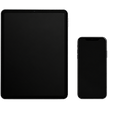
Best for field access, Remote Assist, Interactive Flows, Parts Catalog and on-the-job guidance.


