
Frontline ONE for PC and Mac
The full platform for the teams behind the teams.
Use Frontline ONE on Windows and macOS to build Digital Twins, create Interactive Flows, run Remote Assist sessions, manage workspaces and review operational data.
Start with the desktop tools your support, training, engineering and operations teams already use, then deploy the same content to supported XR, mobile and tablet devices.

Why PC and Mac with Frontline ONE?
PC and Mac access gives internal teams the tools to create, manage, support and improve Frontline ONE content before it reaches the field.
Built for content creators

Create and update Digital Twins, Interactive Flows, Parts Catalog content and training experiences from desktop workflows.
Built for administrators

Manage users, workspaces, roles, permissions and reporting from standard computers.
Built for support teams
Run Remote Assist sessions, guide technicians in real time and help resolve issues without traveling to site.

Built for continuous improvement
Review available session data, flow activity and reporting to improve training, service and operational workflows.
What Frontline ONE delivers on PC and Mac
Frontline ONE gives support, training, engineering and operations teams access to the same content foundation used across supported XR and mobile devices.

Review equipment-specific Digital Twins, machine structure, components and procedures from a desktop experience.
Create, review and run step-by-step workflows for training, troubleshooting, maintenance and operational procedures.
Support technicians through live guidance, collaboration tools and desktop-based remote sessions.
Review components, assemblies and spare parts data, and connect parts to relevant procedures.
Content management
Create, edit, review and improve platform content before deploying it to supported devices.
Content management
Create, edit, review and improve platform content before deploying it to supported devices.
Where PC and Mac fit in the Frontline ONE device ecosystem
PC and Mac are best for the internal teams that create, manage, support and improve Frontline ONE content across the organization.

Best for content creation, Remote Assist, administration, analytics and workspace management.

Best for supported guest access, external participants and lower-friction entry into selected workflows.
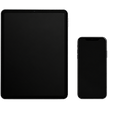
Best for field access, Remote Assist, Interactive Flows, Parts Catalog and on-the-job guidance.


PC and Mac access highlights
Platforms:
Windows PC and macOS
Best for:
Support agents, content creators, administrators, trainers, engineers and subject-matter experts
Core use cases:
Digital Twins, Interactive Flows, Remote Assist, Parts Catalog, analytics and administration
Content foundation:
Create once and deploy across supported XR, mobile, tablet and desktop devices
Administration:
Manage users, roles, permissions, workspaces and reporting
Deployment value:
Start with standard computers, then extend to supported AR, VR, MR, mobile and tablet devices
